
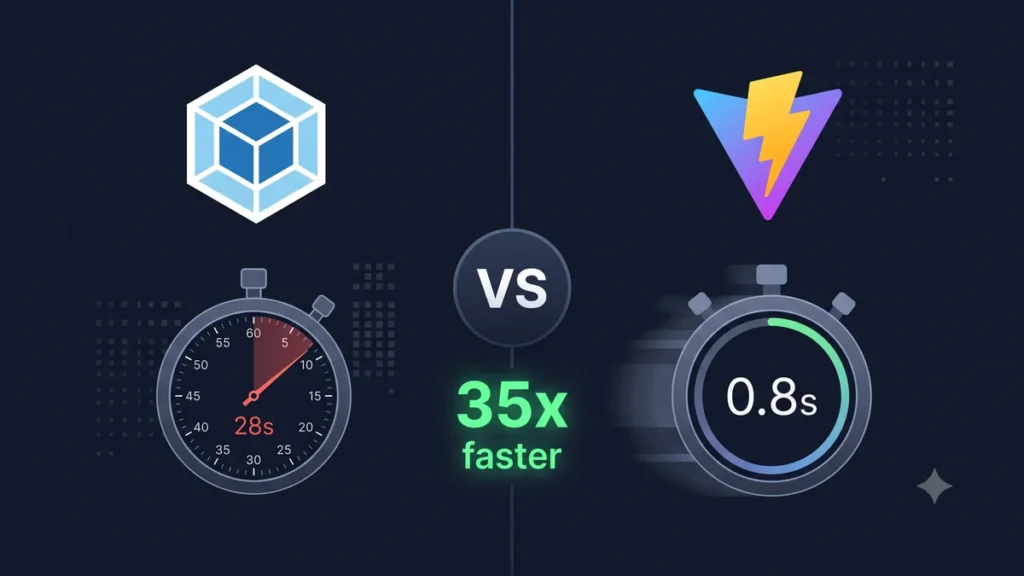
If your Laravel project still uses Laravel Mix (which runs on webpack under the hood), you’re using a build tool from a different era. Vite 7 is faster, simpler, and ships with Laravel 13 by default. This guide explains why the switch matters and exactly how to make it.
The Build Tool Landscape in 2026
| Tool | Status | Laravel Support |
|---|---|---|
| Vite 7 | ✅ Current standard | Laravel 9.19+ (default from Laravel 10) |
| Webpack 5 | ⚠️ Maintenance mode | Via Laravel Mix (legacy) |
| Turbopack | ✅ Next.js only | Not applicable |
| esbuild | ✅ Used inside Vite | Indirect via Vite |
| Parcel | ⚠️ Niche | Not officially supported |
Speed Comparison — Real Numbers
On a real Laravel + React project with 47 components and 12 CSS files:
| Operation | Webpack 5 (Mix) | Vite 7 | Difference |
|---|---|---|---|
| Cold start (dev server) | 28.4 seconds | 0.8 seconds | 35x faster |
| Hot Module Replacement | 3.2 seconds | 50ms | 64x faster |
| Production build | 45.1 seconds | 8.3 seconds | 5x faster |
| CSS change reflection | 2.8 seconds | Instant | ∞ |
The HMR difference is the most impactful for developer productivity. When you change a component, webpack rebuilds the entire bundle. Vite replaces only the changed module — in milliseconds.
Why Vite Is Faster
Webpack’s approach: Bundle everything at startup. Webpack reads all your files, creates a dependency graph of the entire application, and bundles it into one or few files. This takes longer as your app grows.
Vite’s approach: Serve files natively during development. Vite serves your source files directly as ES modules — the browser requests exactly what it needs. No upfront bundling. No waiting.
// Webpack mental model (simplified):
// START → Read all files → Build dependency graph → Bundle → SERVE
// Time: proportional to number of files

// Vite mental model:
// START → SERVE (files served on demand as browser requests them)
// Time: constant, regardless of project size
For production builds, Vite uses Rollup (and Vite 7 has an optional Rolldown mode — a Rust-based Rollup replacement that’s 10x faster for large projects).
Vite 7 — What’s New
- Rolldown integration — optional Rust-based bundler for production builds, 10x faster for large projects
- Environment API stable — proper multi-environment builds (client, SSR, edge)
- CSS preprocessor improvements — faster Sass/Less/Stylus processing
- Better code splitting — improved automatic chunk splitting for smaller bundles
- Node.js 22+ required — dropped Node 18 support
Laravel Mix (Webpack) vs Laravel Vite Plugin
Laravel Mix (Old)
// webpack.mix.js — old way
const mix = require('laravel-mix');

mix.js('resources/js/app.js', 'public/js')
   .react()
   .sass('resources/sass/app.scss', 'public/css')
   .version()
   .sourceMaps();

// In Blade:
<link href="{{ mix('css/app.css') }}" rel="stylesheet">
<script src="{{ mix('js/app.js') }}"></script>
Laravel Vite Plugin (New)
// vite.config.ts — new way
import { defineConfig } from 'vite';
import laravel from 'laravel-vite-plugin';
import react from '@vitejs/plugin-react';

export default defineConfig({
    plugins: [
        laravel({
            input: [
                'resources/css/app.css',
                'resources/js/app.tsx',
            ],
            refresh: true, // Auto-refresh on Blade changes
        }),
        react(),
    ],
});

// In Blade:
@viteReactRefresh
@vite(['resources/css/app.css', 'resources/js/app.tsx'])
Migrating from Laravel Mix to Vite
Step 1 — Install Vite
npm install --save-dev vite laravel-vite-plugin

# Remove Laravel Mix
npm uninstall laravel-mix
rm webpack.mix.js
Step 2 — Create vite.config.ts
import { defineConfig } from 'vite';
import laravel from 'laravel-vite-plugin';

// Add your framework plugin
import react from '@vitejs/plugin-react';        // React
// import vue from '@vitejs/plugin-vue';          // Vue
// import { svelte } from '@sveltejs/vite-plugin-svelte'; // Svelte

export default defineConfig({
    plugins: [
        laravel({
            input: [
                'resources/css/app.css',
                'resources/js/app.tsx',
            ],
            refresh: true,
        }),
        react(), // or vue(), or svelte()
    ],
    resolve: {
        alias: {
            '@': '/resources/js',
        },
    },
});
Step 3 — Update package.json Scripts
{
    "scripts": {
        "dev":   "vite",
        "build": "vite build",
        "preview": "vite preview"
    }
}

// Old Mix scripts (remove these):
// "dev": "npm run development",
// "development": "mix",
// "watch": "mix watch",
// "production": "mix --production"
Step 4 — Update Blade Templates
<!-- Old Mix -->
<link href="{{ mix('css/app.css') }}" rel="stylesheet">
<script src="{{ mix('js/app.js') }}"></script>

<!-- New Vite -->
@viteReactRefresh
@vite(['resources/css/app.css', 'resources/js/app.tsx'])
Step 5 — Handle Asset URLs
// Old Mix way
<img src="{{ mix('/images/logo.png') }}">

// New Vite way — import assets in JS/CSS
// In CSS:
background-image: url('/resources/images/logo.png'); // Vite handles this

// In React components:
import logo from '/resources/images/logo.png';
<img src={logo} />
Step 6 — Environment Variables
// Old Mix — process.env.MIX_API_URL
MIX_API_URL=https://api.softcrony.com  // in .env

// New Vite — import.meta.env.VITE_API_URL
VITE_API_URL=https://api.softcrony.com  // in .env

// In your code:
const apiUrl = import.meta.env.VITE_API_URL;
Common Migration Issues
| Issue | Cause | Fix |
|---|---|---|
| require() not defined | Vite uses ESM, not CommonJS | Replace require() with import |
| process.env not available | Vite uses import.meta.env | Replace process.env.X with import.meta.env.VITE_X |
| jQuery not globally available | No auto global injection | Import jQuery: import $ from ‘jquery’ |
| Assets not loading | Different asset handling | Import assets in JS or reference from public/ |
| CSS order different | Different CSS processing | Check for specificity issues |
Vite Configuration Tips for Laravel Projects
export default defineConfig({
    plugins: [
        laravel({
            input: ['resources/js/app.tsx'],
            // Hot reload on these file changes
            refresh: [
                'routes/**',
                'resources/views/**',
                'app/Http/Controllers/**',
            ],
        }),
        react(),
    ],

    build: {
        // Generate source maps in production for debugging
        sourcemap: true,

        // Rollup options
        rollupOptions: {
            output: {
                // Manual code splitting for better caching
                manualChunks: {
                    vendor: ['react', 'react-dom'],
                    inertia: ['@inertiajs/react'],
                },
            },
        },
    },

    server: {
        // HMR settings
        hmr: {
            host: 'localhost',
        },
    },
});
Should You Migrate Now?
New projects: Always use Vite. Laravel 10+ includes it by default. No decision needed.
Projects on Laravel 9 with Mix: Migrate when you next touch the frontend. The migration takes 1–2 hours for most projects and pays back immediately in dev speed.
Large projects on Mix with complex configuration: Plan a dedicated migration sprint. The performance gains justify the investment — faster CI/CD builds alone save significant time over months.
If you need help migrating a large Laravel project from Mix to Vite, or want a code review of your Vite configuration, our frontend team at Softcrony can help.
Leave a comment