
🕮7 min read · 1,251 words
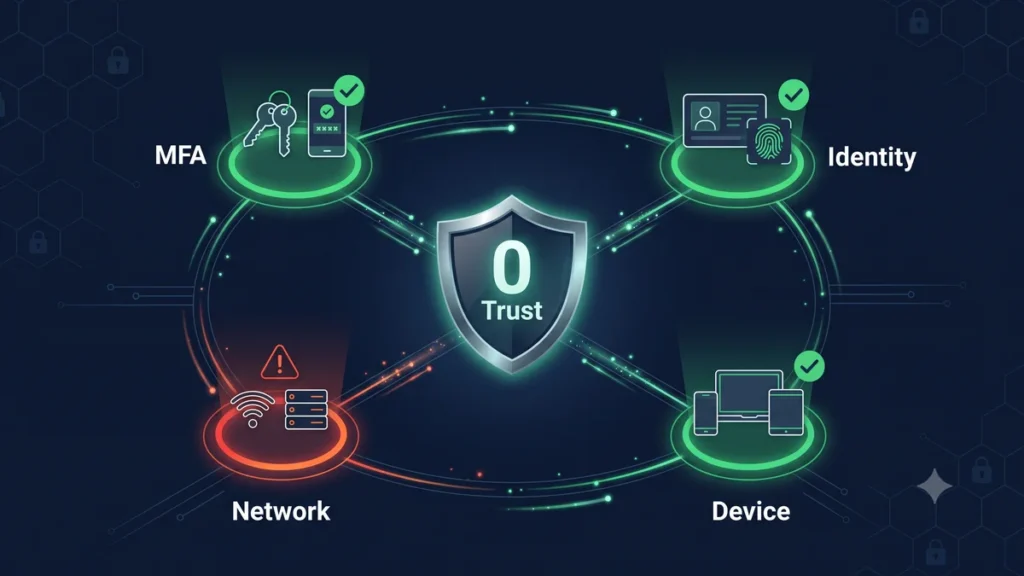
Zero Trust is the security model that assumes every request — whether from inside or outside your network — is potentially hostile until proven otherwise. In 2026, with remote teams, cloud hosting, and AI-powered attacks, it’s the only sensible default for web applications handling real business data.
This guide translates Zero Trust principles into practical actions for Indian web developers and businesses.
What Zero Trust Actually Means
Traditional security: “Trust everything inside the firewall, block everything outside.”
Zero Trust: “Trust nothing. Verify everything. Grant minimum access. Assume breach.”
The four core principles:
- Verify explicitly — always authenticate and authorize based on all available data points
- Use least privilege access — grant only the minimum access needed
- Assume breach — design systems as if attackers are already inside
- Continuous monitoring — log and analyze everything, always
Why This Matters for Indian Businesses in 2026
India-specific context:
- DPDP Act 2023 enforcement: Data breach penalties are now active. A compromised application can result in fines up to ₹250 crore. Zero Trust reduces breach probability significantly.
- Remote and hybrid teams: Developers accessing production from homes, cafes, and co-working spaces across India. Traditional perimeter security has no meaning here.
- Increasing targeted attacks: Indian e-commerce, fintech, and healthcare are specifically targeted. CERT-In reported a 300% increase in attacks on Indian businesses from 2023 to 2025.
- Cloud-first infrastructure: Your “perimeter” is an API endpoint. Zero Trust was designed for this.
Layer 1 — Identity Verification
Multi-Factor Authentication Everywhere
// Laravel — force MFA for all admin routes
class RequireMfa
{
    public function handle(Request $request, Closure $next): Response
    {
        $user = $request->user();

        if (!$user->hasMfaVerifiedRecently()) {
            // Store intended URL
            session(['url.intended' => $request->url()]);

            return redirect()->route('mfa.challenge');
        }

        return $next($request);
    }
}

// User model
public function hasMfaVerifiedRecently(): bool
{
    return session('mfa_verified_at') &&
        Carbon::parse(session('mfa_verified_at'))->isAfter(now()->subHours(8));
}

// After MFA passes
public function verify(Request $request)
{
    // Verify TOTP code
    if (TOTP::verify($request->user()->mfa_secret, $request->code)) {
        session(['mfa_verified_at' => now()->toISOString()]);
        return redirect()->intended('/dashboard');
    }

    return back()->withErrors(['code' => 'Invalid verification code']);
}
Device Trust
// Track and verify known devices
class DeviceTrustService
{
    public function isKnownDevice(User $user, Request $request): bool
    {
        $deviceFingerprint = $this->getFingerprint($request);

        return $user->trustedDevices()
            ->where('fingerprint', hash('sha256', $deviceFingerprint))
            ->where('last_seen_at', '>=', now()->subDays(30))
            ->exists();
    }

    public function trustDevice(User $user, Request $request): void
    {
        $fingerprint = hash('sha256', $this->getFingerprint($request));

        $user->trustedDevices()->updateOrCreate(
            ['fingerprint' => $fingerprint],
            [
                'name'         => $this->getDeviceName($request),
                'last_seen_at' => now(),
                'last_ip'      => $request->ip(),
            ]
        );
    }

    private function getFingerprint(Request $request): string
    {
        return implode('|', [
            $request->header('User-Agent'),
            $request->header('Accept-Language'),
            $request->header('Accept-Encoding'),
        ]);
    }
}
Layer 2 — Least Privilege Access
Granular Role-Based Access Control
<?php

// Define granular permissions — not just roles
enum Permission: string
{
    // Projects
    case VIEW_PROJECTS    = 'projects.view';
    case CREATE_PROJECTS  = 'projects.create';
    case EDIT_PROJECTS    = 'projects.edit';
    case DELETE_PROJECTS  = 'projects.delete';

    // Billing
    case VIEW_BILLING     = 'billing.view';
    case MANAGE_BILLING   = 'billing.manage';

    // Users
    case INVITE_USERS     = 'users.invite';
    case REMOVE_USERS     = 'users.remove';
    case MANAGE_ROLES     = 'users.roles';

    // Reports
    case VIEW_REPORTS     = 'reports.view';
    case EXPORT_REPORTS   = 'reports.export';
}

// Role definitions
enum Role: string
{
    case OWNER  = 'owner';
    case ADMIN  = 'admin';
    case MEMBER = 'member';
    case VIEWER = 'viewer';

    public function permissions(): array
    {
        return match($this) {
            Role::OWNER => Permission::cases(), // All permissions
            Role::ADMIN => [
                Permission::VIEW_PROJECTS,
                Permission::CREATE_PROJECTS,
                Permission::EDIT_PROJECTS,
                Permission::INVITE_USERS,
                Permission::VIEW_REPORTS,
                Permission::EXPORT_REPORTS,
            ],
            Role::MEMBER => [
                Permission::VIEW_PROJECTS,
                Permission::CREATE_PROJECTS,
                Permission::EDIT_PROJECTS,
                Permission::VIEW_REPORTS,
            ],
            Role::VIEWER => [
                Permission::VIEW_PROJECTS,
                Permission::VIEW_REPORTS,
            ],
        };
    }
}

// Check permission
public function authorize(string $permission): bool
{
    $userRole = Role::from(auth()->user()->role);
    return in_array(Permission::from($permission), $userRole->permissions());
}
Time-Limited Tokens
// API tokens expire — never issue permanent tokens
$token = $user->createToken(
    name:       'api-access',
    abilities:  ['projects:read', 'tasks:write'],
    expiresAt:  now()->addHours(24)
);

// Scoped tokens for specific operations
$exportToken = $user->createToken(
    name:      'export-token',
    abilities: ['reports:export'],
    expiresAt: now()->addMinutes(30) // Only valid for 30 minutes
);
Layer 3 — Network Segmentation
Cloudflare Zero Trust (Free Tier)
Cloudflare Zero Trust replaces VPN for team access to internal tools. Your admin panel, internal dashboards, and staging environments are protected by identity verification — not just network location.
# cloudflare-tunnel setup
# Install cloudflared on your server
curl -L --output cloudflared.deb \
  https://github.com/cloudflare/cloudflared/releases/latest/download/cloudflared-linux-amd64.deb

sudo dpkg -i cloudflared.deb

# Authenticate and create tunnel
cloudflared tunnel login
cloudflared tunnel create softcrony-internal

# config.yml
tunnel: YOUR_TUNNEL_ID
credentials-file: /root/.cloudflared/YOUR_TUNNEL_ID.json

ingress:
  - hostname: admin.softcrony.com
    service: http://localhost:8080
  - hostname: staging.softcrony.com
    service: http://localhost:3000
  - service: http_status:404
In Cloudflare Zero Trust dashboard, create Access Policies requiring Google/GitHub SSO for anyone accessing these subdomains — no server firewall rules needed.
IP Allowlisting for Admin Routes
// Middleware — restrict admin to known IPs
class RestrictAdminAccess
{
    private array $allowedIps = [
        '49.36.xxx.xxx',  // Softcrony office Jabalpur
        '103.21.xxx.xxx', // Developer home IP
    ];

    public function handle(Request $request, Closure $next): Response
    {
        if (!in_array($request->ip(), $this->allowedIps)) {
            // Log suspicious access attempt
            Log::warning('Admin access from unknown IP', [
                'ip'   => $request->ip(),
                'user' => $request->user()?->email,
                'url'  => $request->url(),
            ]);

            abort(403, 'Access denied from this network');
        }

        return $next($request);
    }
}
Layer 4 — Continuous Monitoring
Comprehensive Audit Logging
<?php

// app/Observers/AuditObserver.php
class AuditObserver
{
    public function created(Model $model): void
    {
        $this->log('created', $model);
    }

    public function updated(Model $model): void
    {
        $this->log('updated', $model, $model->getChanges());
    }

    public function deleted(Model $model): void
    {
        $this->log('deleted', $model);
    }

    private function log(string $action, Model $model, array $changes = []): void
    {
        AuditLog::create([
            'user_id'      => auth()->id(),
            'tenant_id'    => TenantContext::id(),
            'action'       => $action,
            'model_type'   => get_class($model),
            'model_id'     => $model->getKey(),
            'changes'      => $changes,
            'ip_address'   => request()->ip(),
            'user_agent'   => request()->userAgent(),
            'occurred_at'  => now(),
        ]);
    }
}
Anomaly Detection
// Flag suspicious login patterns
class LoginAnomalyDetector
{
    public function analyze(User $user, Request $request): array
    {
        $alerts = [];

        // New country
        $country = $this->getCountry($request->ip());
        $usualCountry = $user->loginHistory()->mostCommon('country');
        if ($country !== $usualCountry) {
            $alerts[] = "Login from unusual country: {$country}";
        }

        // Unusual hour (outside 6am-11pm IST)
        $hour = now()->setTimezone('Asia/Kolkata')->hour;
        if ($hour < 6 || $hour > 23) {
            $alerts[] = "Login at unusual hour: {$hour}:00 IST";
        }

        // Many failed attempts before success
        $recentFailures = $user->loginAttempts()
            ->where('success', false)
            ->where('created_at', '>=', now()->subHour())
            ->count();

        if ($recentFailures >= 3) {
            $alerts[] = "Login after {$recentFailures} failed attempts";
        }

        return $alerts;
    }
}
DPDP Act 2023 Compliance Mapping
| DPDP Requirement | Zero Trust Implementation |
|---|---|
| Data minimization | Least privilege — only expose data roles need |
| Access controls | RBAC with granular permissions |
| Breach detection | Continuous monitoring + anomaly detection |
| Breach notification (6 hours) | Automated alerts via PagerDuty/Slack |
| Data localization | Cloudflare network rules to restrict data to India |
| Audit trail | Comprehensive audit logging on all models |
Zero Trust Implementation Checklist
| Item | Priority |
|---|---|
| MFA on all admin accounts | Critical |
| MFA on all user accounts (optional for users) | High |
| API tokens with expiry | High |
| Granular RBAC permissions | High |
| Audit logging on sensitive models | High |
| Cloudflare Zero Trust for internal tools | Medium |
| IP allowlisting for admin panel | Medium |
| Device trust tracking | Medium |
| Login anomaly detection | Medium |
| Automated breach alerts | Medium |
If you need a security audit of your web application or want Zero Trust security implemented for your product, our security team at Softcrony can help.
Leave a comment