
React 19 quietly changed how we think about data fetching and form handling. If you’re still reaching for useEffect to load data or useState to track form submission states, you’re writing 2022 React in 2026.
This guide covers React 19 Actions — what they are, why they exist, and how to use them in real projects today.
What’s Wrong With useEffect for Data Fetching?
Nothing is technically wrong — it works. But the pattern is verbose, error-prone, and requires significant boilerplate:
// The old way — everyone has written this
const [data, setData] = useState(null);
const [loading, setLoading] = useState(false);
const [error, setError] = useState(null);

useEffect(() => {
  setLoading(true);
  fetch('/api/users')
    .then(res => res.json())
    .then(data => {
      setData(data);
      setLoading(false);
    })
    .catch(err => {
      setError(err);
      setLoading(false);
    });
}, []);
Three state variables, nested callbacks, and you haven’t even handled cleanup yet. React 19 Actions solve this at the framework level.
What Are React 19 Actions?
Actions are async functions that React manages automatically. They handle pending states, errors, and optimistic updates — without manual state management.
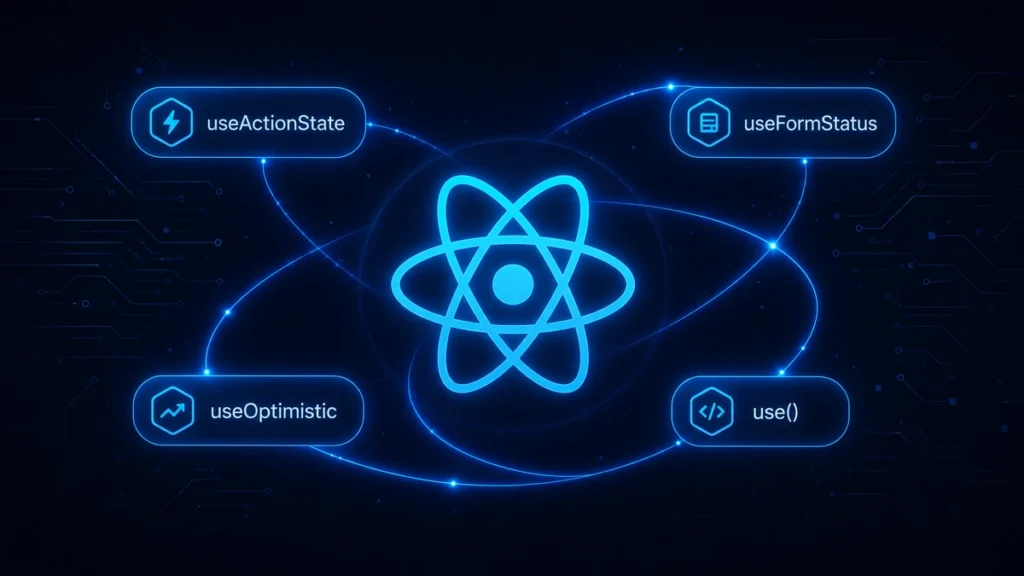
React 19 introduced four new APIs built around Actions:
useActionState— manages action state (pending, error, result)useFormStatus— reads the status of a parent form’s actionuseOptimistic— shows optimistic UI before server confirmsuse()— reads promises and context in render
useActionState — Replace useState + useEffect
import { useActionState } from 'react';

async function submitForm(previousState, formData) {
  const name = formData.get('name');
  const email = formData.get('email');

  try {
    const response = await fetch('/api/contact', {
      method: 'POST',
      body: JSON.stringify({ name, email }),
      headers: { 'Content-Type': 'application/json' },
    });

    if (!response.ok) throw new Error('Submission failed');

    return { success: true, message: 'Message sent successfully!' };
  } catch (error) {
    return { success: false, message: error.message };
  }
}

function ContactForm() {
  const [state, formAction, isPending] = useActionState(submitForm, null);

  return (
    <form action={formAction}>
      <input name="name" placeholder="Your name" required />
      <input name="email" type="email" placeholder="Your email" required />
      <button type="submit" disabled={isPending}>
        {isPending ? 'Sending...' : 'Send Message'}
      </button>
      {state?.message && (
        <p className={state.success ? 'text-green-500' : 'text-red-500'}>
          {state.message}
        </p>
      )}
    </form>
  );
}
No useState. No useEffect. No manual loading state. React handles all of it.
useFormStatus — Button Knows Its Form State
useFormStatus must be used inside a component that is a child of a form. It gives that component access to the form’s submission state:
import { useFormStatus } from 'react-dom';

function SubmitButton() {
  const { pending } = useFormStatus();

  return (
    <button type="submit" disabled={pending}>
      {pending ? 'Saving...' : 'Save Changes'}
    </button>
  );
}

// Use it inside any form with an action
function ProfileForm() {
  return (
    <form action={updateProfileAction}>
      <input name="bio" />
      <SubmitButton /> {/* automatically knows form is pending */}
    </form>
  );
}
useOptimistic — Instant UI Updates
Show the result immediately, before the server responds. If the server fails, automatically roll back:
import { useOptimistic, useActionState } from 'react';

function TodoList({ todos }) {
  const [optimisticTodos, addOptimisticTodo] = useOptimistic(
    todos,
    (currentTodos, newTodo) => [...currentTodos, { ...newTodo, pending: true }]
  );

  async function addTodo(formData) {
    const title = formData.get('title');
    const newTodo = { id: Date.now(), title };

    addOptimisticTodo(newTodo); // Show immediately

    await fetch('/api/todos', {
      method: 'POST',
      body: JSON.stringify(newTodo),
    });
    // If this fails, React reverts optimisticTodos automatically
  }

  return (
    <>
      <ul>
        {optimisticTodos.map(todo => (
          <li key={todo.id} style={{ opacity: todo.pending ? 0.5 : 1 }}>
            {todo.title}
          </li>
        ))}
      </ul>
      <form action={addTodo}>
        <input name="title" placeholder="New todo" />
        <button type="submit">Add</button>
      </form>
    </>
  );
}
The new use() Hook — Read Promises in Render
use() is unlike any previous React hook — it can be called conditionally and reads a promise or context directly in render:
import { use, Suspense } from 'react';

function UserProfile({ userPromise }) {
  const user = use(userPromise); // Suspends until resolved

  return <div>{user.name}</div>;
}

// Parent passes a promise — no useEffect needed
function App() {
  const userPromise = fetchUser(userId); // Called outside component

  return (
    <Suspense fallback={<div>Loading...</div>}>
      <UserProfile userPromise={userPromise} />
    </Suspense>
  );
}
Migration Strategy
You don’t need to rewrite everything. Here’s a practical approach:
New forms: Use useActionState from day one — no migration needed.
Existing forms: Migrate when you touch them for other reasons. Don’t refactor just to refactor.
Data fetching: Keep useEffect for complex cases with dependencies. Use use() with Suspense for simpler read-only data.
When to Still Use useEffect
React 19 Actions don’t replace every useEffect use case:
- Setting up event listeners or subscriptions
- Syncing with non-React systems (maps, charts, DOM libraries)
- Complex data fetching with multiple interdependencies
- Running code only when specific values change
For form submissions and simple mutations — Actions are the clear choice in 2026.
If your React application needs modernizing or you’re starting a new project and want it built on the latest patterns, our frontend team at Softcrony is happy to help.
Leave a comment