
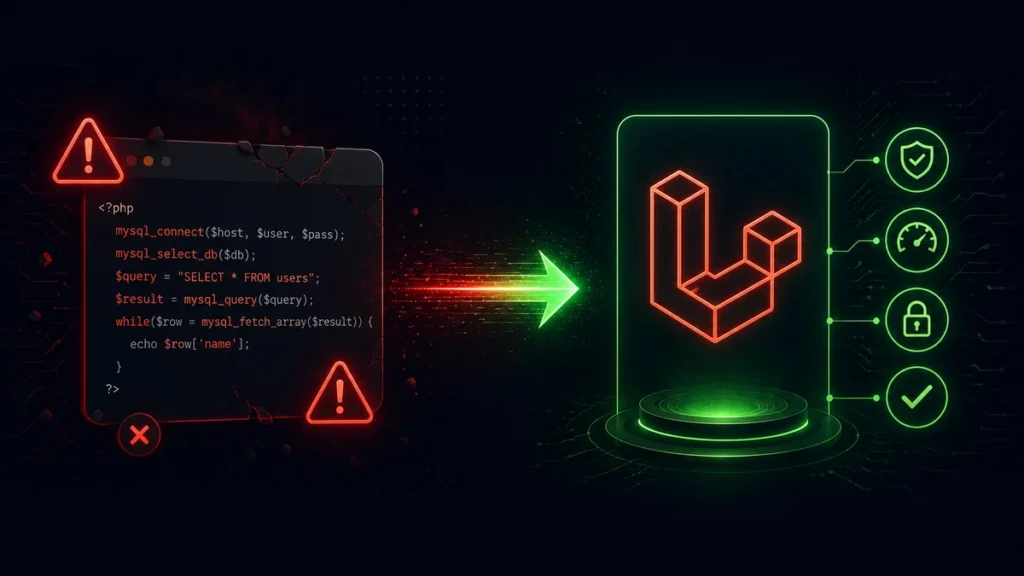
Legacy PHP migration is one of the most technically challenging and politically sensitive projects in software development. The system works. People depend on it. And every day it runs, it accumulates more technical debt.
This is how we migrated a 10-year-old custom PHP application to Laravel 12 for a distribution company in Madhya Pradesh — without taking the system offline for a single hour.
The Client and the Problem
A mid-sized FMCG distribution company had been running a custom PHP 5.6 application since 2013. The system managed their entire operations — orders, inventory, billing, delivery tracking, and client accounts.
By 2025, the system was showing its age:
- Running on PHP 5.6 — end of life since 2018, no security patches
- No framework — procedural PHP with included files and global variables
- MySQL queries built with string concatenation — SQL injection risk throughout
- No version control — the codebase existed only on the live server
- Single developer had built it and was no longer contactable
- Hosting provider threatened to drop PHP 5.6 support
The business couldn’t stop using the system — 40 staff used it daily, 200+ orders processed per day. A full rewrite with downtime was not an option.
The Strategy: Strangler Fig Pattern
We used the Strangler Fig Pattern — gradually replacing the old system piece by piece while it remained live, until the old system could be safely retired.
The approach:
- Run the new Laravel system alongside the old PHP system
- Migrate one module at a time — starting with the least critical
- Use the same database during transition (both systems read/write the same data)
- Route traffic module by module from old to new via Nginx
- Retire the old system only when all modules are migrated
Phase 1 — Audit and Documentation (Weeks 1–3)
We spent the first three weeks doing nothing but understanding the existing system. No code changes. No new features.
We mapped every page, every database table, every business rule. The existing system had no documentation — everything was implicit in the code.
Key findings:
- 47 PHP files, approximately 28,000 lines of code
- 23 database tables, several with no foreign keys or indexes
- 12 distinct business modules
- 3 critical business rules buried in code with no comments
- 2 active SQL injection vulnerabilities in the order search feature
Phase 2 — Database Hardening (Weeks 4–5)
Before touching the application, we hardened the database. This work applied to both the old and new system:
-- Add missing indexes (the old system had almost none)
ALTER TABLE orders ADD INDEX idx_client_id (client_id);
ALTER TABLE orders ADD INDEX idx_created_at (created_at);
ALTER TABLE order_items ADD INDEX idx_order_id (order_id);
ALTER TABLE products ADD INDEX idx_sku (sku);

-- Add foreign key constraints (previously missing)
ALTER TABLE order_items
  ADD CONSTRAINT fk_order_items_order
  FOREIGN KEY (order_id) REFERENCES orders(id) ON DELETE CASCADE;

-- Fix inconsistent data before migration
UPDATE orders SET status = 'pending' WHERE status IS NULL;
UPDATE products SET stock_quantity = 0 WHERE stock_quantity IS NULL;
This work improved the old system’s performance immediately — query times on the orders list dropped from 4.2 seconds to 0.3 seconds just from adding indexes.
Phase 3 — Laravel Setup with Shared Database (Weeks 6–8)
We set up the Laravel 12 application pointing at the same MySQL database as the old system. Laravel’s Eloquent models mapped to the existing table structure:
// app/Models/Order.php — maps to existing orders table
class Order extends Model
{
    // Use existing table structure
    protected $table = 'orders';

    // Map old column names to clean Laravel conventions
    protected $casts = [
        'created_at' => 'datetime',
        'order_date' => 'date',
        'total_amount' => 'decimal:2',
    ];

    // Relationships that didn't exist in old system
    public function items(): HasMany
    {
        return $this->hasMany(OrderItem::class);
    }

    public function client(): BelongsTo
    {
        return $this->belongsTo(Client::class);
    }
}
Phase 4 — Module-by-Module Migration (Weeks 9–20)
We migrated modules in order of risk — lowest risk first, so we built confidence before touching critical features:
| Week | Module Migrated | Risk |
|---|---|---|
| 9–10 | Reports and exports | Low (read-only) |
| 11–12 | Product catalogue | Low |
| 13–14 | Client management | Medium |
| 15–16 | Inventory tracking | Medium |
| 17–18 | Billing and invoices | High |
| 19–20 | Order management | Critical |
For each module migration, we used Nginx to route traffic:
# nginx.conf — route reports to new Laravel system
location /reports {
    proxy_pass http://laravel_app;
    proxy_set_header Host $host;
    proxy_set_header X-Real-IP $remote_addr;
}

# Everything else still goes to old PHP system
location / {
    root /var/www/legacy;
    index index.php;
    fastcgi_pass php56:9000;
}
The Hardest Part — Order Management Migration
The order management module was the most critical and the most complex. It had the most business logic, the most users, and processed ₹15 lakh+ in transactions daily.
We ran both systems in parallel for 2 weeks — every order written to the old system was also written to the new system via a sync job:
// app/Jobs/SyncOrderToLaravel.php
class SyncOrderToLaravel implements ShouldQueue
{
    public function __construct(public int $legacyOrderId) {}

    public function handle(): void
    {
        // Read from legacy format
        $legacyOrder = DB::table('orders_legacy_view')
            ->where('id', $this->legacyOrderId)
            ->first();

        // Transform and write to new format
        Order::updateOrCreate(
            ['legacy_id' => $legacyOrder->id],
            [
                'client_id'    => $legacyOrder->client_id,
                'total_amount' => $legacyOrder->total,
                'status'       => $this->mapStatus($legacyOrder->status_code),
                'order_date'   => Carbon::parse($legacyOrder->order_dt),
            ]
        );
    }
}
After 2 weeks of parallel running with zero discrepancies, we switched the Nginx routing to direct all order traffic to Laravel.
Phase 5 — Legacy Retirement (Week 21–22)
Once all modules were on Laravel, we kept the old system running in read-only mode for 2 weeks — just in case. Then we shut it down.
Final state: PHP 5.6 application replaced with Laravel 12, zero downtime, zero data loss.
Results
| Metric | Before | After |
|---|---|---|
| Average page load time | 4.8 seconds | 0.6 seconds |
| Security vulnerabilities | 2 critical, 8 medium | 0 |
| Server errors per day | 15–20 | 0–1 |
| Time to onboard new developer | 2–3 weeks | 1–2 days |
| Deployment process | Manual FTP upload | Git push + CI/CD |
| PHP version | 5.6 (EOL) | 8.3 (current) |
Lessons Learned
Audit before you touch anything. Three weeks of reading code before writing any felt slow. It saved us from 3 major mistakes we would have made if we’d rushed.
Database first. Improving the database benefited both systems immediately and reduced the risk of data corruption during migration.
Parallel running is worth the overhead. Running both systems simultaneously and comparing outputs for 2 weeks before cutover gave the client confidence and caught 2 edge cases we’d missed.
Migrate features, not code. We didn’t try to convert old PHP to Laravel line by line. We rebuilt each feature properly in Laravel. The result is cleaner and more maintainable.
If you have a legacy PHP system that needs modernizing and can’t afford downtime, our team at Softcrony specializes in exactly this kind of migration.
Leave a comment