
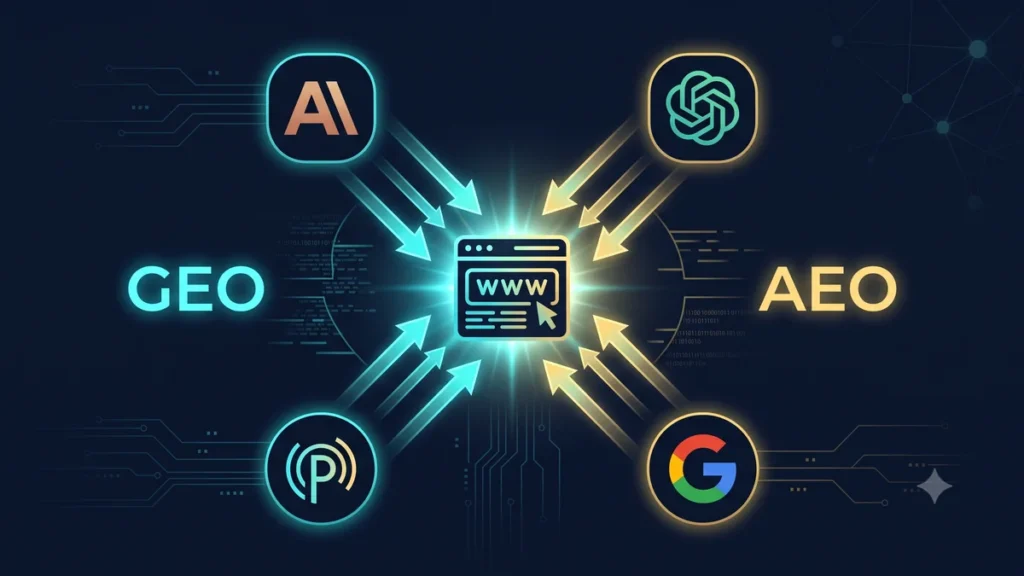
Google search is no longer the only way people find information online. In 2026, a significant and growing percentage of searches happen through AI assistants — Claude, ChatGPT, Gemini, Perplexity — that generate answers directly rather than showing a list of links.
Traditional SEO gets your page to rank on Google. GEO and AEO get your content cited by AI systems. Both matter now.
What Are GEO and AEO?
GEO — Generative Engine Optimization is the practice of optimizing your content so that AI systems like Claude, ChatGPT, and Gemini include your site as a source when generating answers.
AEO — Answer Engine Optimization is the practice of structuring your content so that AI-powered search engines (Perplexity, Google AI Overviews, Bing Copilot) extract and surface your content as the direct answer to a question.
The difference: AEO focuses on structured answers that AI can extract and display. GEO focuses on building the authority and trust signals that make AI systems choose your content as a source.
Why This Matters for Indian Businesses
Indian internet users are adopting AI assistants faster than almost any other market. The pattern we’re seeing in 2026:
- A business owner in Indore asks ChatGPT “best web development company in Madhya Pradesh” instead of Googling it
- A developer in Bangalore asks Claude “how to build a REST API in Laravel” instead of searching Stack Overflow
- A retailer in Delhi asks Perplexity “WooCommerce vs Shopify for Indian e-commerce” instead of reading blog posts
If your content doesn’t appear in these AI-generated answers, you’re invisible to a growing segment of your potential audience.
How AI Search Works
Understanding how AI systems select sources helps you optimize for them:
Training data inclusion: Your content may have been included in the AI model’s training data. Higher quality content on authoritative domains gets included.
Real-time web access: Models like ChatGPT with browsing and Perplexity actively crawl the web in real time. They prioritize fast, crawlable, well-structured pages.
Citation selection: When generating an answer, the AI selects sources based on relevance, authority, freshness, and how clearly the content answers the question.
GEO: 7 Optimization Strategies
1. Write for Questions, Not Keywords
Traditional SEO targets keywords. GEO targets questions — because that’s how people interact with AI assistants.
❌ Traditional SEO title:
"Laravel REST API Tutorial"

✅ GEO-optimized title:
"How to Build a REST API with Laravel 12: Step-by-Step Guide"

❌ Traditional H2:
"Authentication Methods"

✅ GEO-optimized H2:
"How does Laravel Sanctum authentication work?"
2. Add Direct Answer Boxes
Put the answer to the question immediately after the question heading — before any explanation. AI systems extract the direct answer first:
<h2>What is the difference between Laravel Sanctum and Passport?</h2>

<!-- Direct answer first -->
<p><strong>Laravel Sanctum is for SPAs and mobile apps using cookie
or token-based auth. Laravel Passport is for OAuth2 server
implementation. For most Laravel APIs, Sanctum is the correct choice.
</strong></p>

<!-- Detailed explanation follows -->
<p>Sanctum provides a lightweight authentication system...</p>
3. Implement Comprehensive Schema Markup
Schema.org structured data helps AI systems understand what your content is and who created it:
<script type="application/ld+json">
{
  "@context": "https://schema.org",
  "@type": "Article",
  "headline": "How to Build a REST API with Laravel 12",
  "datePublished": "2026-07-06",
  "dateModified": "2026-07-06",
  "author": {
    "@type": "Organization",
    "name": "Softcrony Technologies",
    "url": "https://softcrony.com"
  },
  "publisher": {
    "@type": "Organization",
    "name": "Softcrony Technologies",
    "logo": {
      "@type": "ImageObject",
      "url": "https://softcrony.com/logo.png"
    }
  },
  "mainEntityOfPage": "https://softcrony.com/blog/laravel-12-rest-api-complete-guide/",
  "description": "Complete step-by-step guide to building a REST API with Laravel 12",
  "about": {
    "@type": "SoftwareApplication",
    "name": "Laravel",
    "applicationCategory": "Web Framework"
  }
}
</script>
For FAQ content — which AI systems love — add FAQ schema:
<script type="application/ld+json">
{
  "@context": "https://schema.org",
  "@type": "FAQPage",
  "mainEntity": [
    {
      "@type": "Question",
      "name": "What is the minimum PHP version for Laravel 13?",
      "acceptedAnswer": {
        "@type": "Answer",
        "text": "Laravel 13 requires PHP 8.3 or higher. PHP 8.2 is no longer supported."
      }
    },
    {
      "@type": "Question",
      "name": "Is Laravel 13 a breaking change from Laravel 12?",
      "acceptedAnswer": {
        "@type": "Answer",
        "text": "Laravel 13 has minimal breaking changes. The main requirement is upgrading to PHP 8.3. Most Laravel 12 applications can upgrade in under an hour."
      }
    }
  ]
}
</script>
4. Add llms.txt
As covered in our dedicated guide — add llms.txt to every domain you own. This directly tells AI crawlers what your site is and how to use your content. It’s one of the highest-impact low-effort GEO actions available right now.
5. Cite Your Sources and Data
AI systems trust content that cites verifiable sources. Add data, statistics, and citations to your content:
❌ Weak claim (AI may ignore):
"PHP is widely used for web development."

✅ Strong claim (AI more likely to cite):
"According to the Stack Overflow Developer Survey 2025,
PHP is used by 18.2% of professional developers, making
it the 8th most popular programming language globally."
6. Build E-E-A-T Signals
Google’s E-E-A-T (Experience, Expertise, Authoritativeness, Trust) framework applies equally to AI citation decisions. AI systems prefer content from demonstrably expert sources.
For Indian developer content specifically:
- Include author bios with real credentials and experience
- Reference actual client projects (with permission)
- Mention specific locations and market context (“for Indian businesses”, “in the Indian market”)
- Link to and from authoritative developer resources
7. Optimize for Speed and Crawlability
AI search crawlers — especially Perplexity and ChatGPT browsing — won’t wait for JavaScript to render. Your content must be in the HTML:
- Use SSR or SSG — not pure client-side rendering
- Core Web Vitals must pass — slow pages get deprioritized
- Clean URL structures — no dynamic parameters in content URLs
- Proper heading hierarchy — H1, H2, H3 structure is critical
AEO: Optimizing for Direct Answers
Structure Content for Extraction
AI answer engines extract specific patterns. Use these formats:
<!-- Definition pattern -->
<h2>What is [Term]?</h2>
<p>[Term] is [clear, concise definition in one or two sentences].</p>

<!-- Step pattern -->
<h2>How to [Task]</h2>
<ol>
  <li>[Step 1 — clear action]</li>
  <li>[Step 2 — clear action]</li>
</ol>

<!-- Comparison pattern -->
<h2>[Option A] vs [Option B]</h2>
<table>...</table>
<p>[Direct recommendation]</p>
Add HowTo Schema
<script type="application/ld+json">
{
  "@context": "https://schema.org",
  "@type": "HowTo",
  "name": "How to Install Laravel 13",
  "step": [
    {
      "@type": "HowToStep",
      "name": "Install Composer",
      "text": "Download and install Composer from getcomposer.org"
    },
    {
      "@type": "HowToStep",
      "name": "Create Laravel Project",
      "text": "Run: composer create-project laravel/laravel myapp"
    }
  ]
}
</script>
GEO Audit Checklist
| Item | Done? |
|---|---|
| llms.txt file exists at root of each domain | ☐ |
| Article schema on all blog posts | ☐ |
| FAQ schema on relevant pages | ☐ |
| Organization schema on homepage | ☐ |
| Author bio with credentials on all posts | ☐ |
| Direct answer in first paragraph of each post | ☐ |
| Questions used as H2 headings where relevant | ☐ |
| Content is SSR/SSG — not client-side only | ☐ |
| Core Web Vitals passing on mobile | ☐ |
| Citations and data sources in content | ☐ |
| Perplexity.ai — search your brand, check if you appear | ☐ |
| Claude/ChatGPT — ask about your niche, check if cited | ☐ |
Measuring GEO Success
Unlike traditional SEO, there’s no Google Search Console for AI citations yet. Current measurement approaches:
Manual testing: Ask Claude, ChatGPT, and Perplexity questions where your content should be the answer. Note whether you’re cited and how prominently.
Perplexity monitoring: Perplexity shows its sources. Set up regular searches for your target questions and monitor whether your site appears in the cited sources.
Referral traffic from AI: In Google Analytics 4, check referral traffic from perplexity.ai, chat.openai.com, and claude.ai. This traffic is growing fast — tracking it now establishes your baseline.
If you want to implement GEO and AEO for your business website or need help with schema markup and AI search optimization, our team at Softcrony can help.
Leave a comment