
🕮5 min read · 975 words
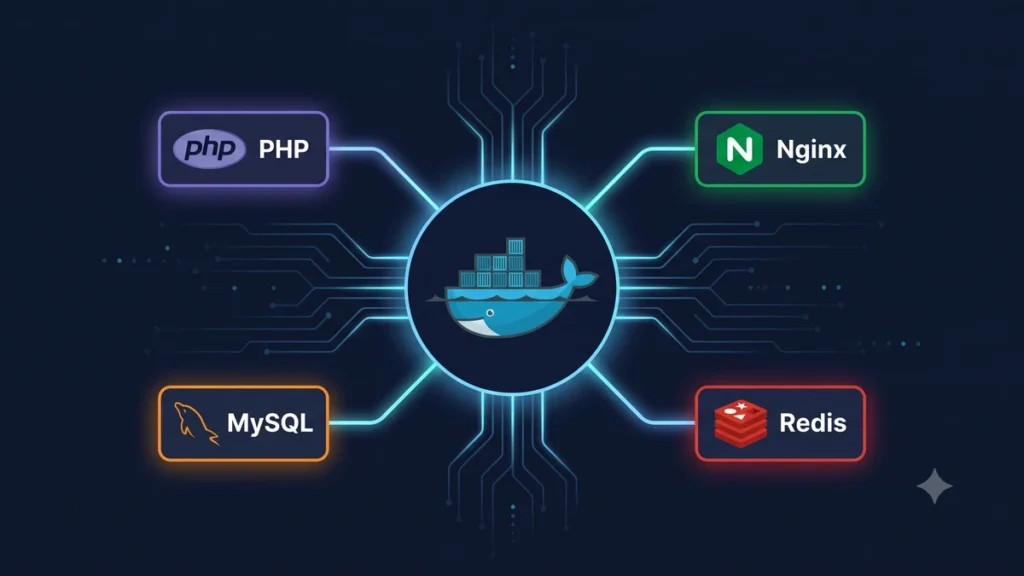
Docker Compose has become the standard way to run local development environments for PHP and Laravel projects. One command starts your entire stack — PHP, MySQL, Redis, Nginx, queue workers — consistently across every developer’s machine.
This guide covers everything you need for a production-grade Docker Compose setup for Laravel in 2026.
Why Docker Compose for Laravel?
The classic problem: “It works on my machine.” Docker Compose eliminates this by defining your entire environment as code. Every developer runs identical containers, and your staging environment matches production exactly.
- No more PHP version conflicts between developers
- MySQL, Redis, and other services start with one command
- New team members are productive in minutes, not hours
- Local environment matches staging and production exactly
Project Structure
your-laravel-app/
├── docker/
│   ├── php/
│   │   └── Dockerfile
│   ├── nginx/
│   │   └── default.conf
│   └── mysql/
│       └── my.cnf
├── docker-compose.yml
├── docker-compose.prod.yml
└── ... (Laravel files)
Step 1 — PHP Dockerfile
Create docker/php/Dockerfile:
FROM php:8.3-fpm-alpine

# Install system dependencies
RUN apk add --no-cache \
    git \
    curl \
    libpng-dev \
    libxml2-dev \
    zip \
    unzip \
    nodejs \
    npm

# Install PHP extensions
RUN docker-php-ext-install \
    pdo_mysql \
    mbstring \
    exif \
    pcntl \
    bcmath \
    gd \
    xml \
    opcache

# Install Redis extension
RUN pecl install redis && docker-php-ext-enable redis

# Install Composer
COPY --from=composer:latest /usr/bin/composer /usr/bin/composer

# Set working directory
WORKDIR /var/www

# Copy application files
COPY . .

# Install PHP dependencies
RUN composer install --no-dev --optimize-autoloader

# Set permissions
RUN chown -R www-data:www-data /var/www/storage /var/www/bootstrap/cache

EXPOSE 9000
CMD ["php-fpm"]
Step 2 — Nginx Configuration
Create docker/nginx/default.conf:
server {
    listen 80;
    server_name localhost;
    root /var/www/public;
    index index.php index.html;

    # Security headers
    add_header X-Frame-Options "SAMEORIGIN";
    add_header X-Content-Type-Options "nosniff";
    add_header X-XSS-Protection "1; mode=block";

    location / {
        try_files $uri $uri/ /index.php?$query_string;
    }

    location = /favicon.ico { access_log off; log_not_found off; }
    location = /robots.txt  { access_log off; log_not_found off; }

    error_page 404 /index.php;

    location ~ \.php$ {
        fastcgi_pass php:9000;
        fastcgi_param SCRIPT_FILENAME $realpath_root$fastcgi_script_name;
        include fastcgi_params;
        fastcgi_hide_header X-Powered-By;
    }

    location ~ /\.(?!well-known).* {
        deny all;
    }

    # Cache static assets
    location ~* \.(jpg|jpeg|png|gif|ico|css|js|woff|woff2)$ {
        expires 1y;
        add_header Cache-Control "public, immutable";
    }
}
Step 3 — docker-compose.yml
version: '3.9'

services:
  # Nginx Web Server
  nginx:
    image: nginx:alpine
    container_name: laravel_nginx
    restart: unless-stopped
    ports:
      - "80:80"
    volumes:
      - .:/var/www
      - ./docker/nginx/default.conf:/etc/nginx/conf.d/default.conf
    depends_on:
      - php
    networks:
      - laravel

  # PHP-FPM
  php:
    build:
      context: .
      dockerfile: docker/php/Dockerfile
    container_name: laravel_php
    restart: unless-stopped
    volumes:
      - .:/var/www
      - ./docker/php/php.ini:/usr/local/etc/php/conf.d/custom.ini
    environment:
      - APP_ENV=local
    networks:
      - laravel
    depends_on:
      mysql:
        condition: service_healthy
      redis:
        condition: service_started

  # MySQL Database
  mysql:
    image: mysql:8.0
    container_name: laravel_mysql
    restart: unless-stopped
    ports:
      - "3306:3306"
    environment:
      MYSQL_ROOT_PASSWORD: ${DB_PASSWORD}
      MYSQL_DATABASE: ${DB_DATABASE}
      MYSQL_USER: ${DB_USERNAME}
      MYSQL_PASSWORD: ${DB_PASSWORD}
    volumes:
      - mysql_data:/var/lib/mysql
      - ./docker/mysql/my.cnf:/etc/mysql/conf.d/my.cnf
    healthcheck:
      test: ["CMD", "mysqladmin", "ping", "-h", "localhost"]
      interval: 10s
      timeout: 5s
      retries: 5
    networks:
      - laravel

  # Redis Cache
  redis:
    image: redis:7-alpine
    container_name: laravel_redis
    restart: unless-stopped
    ports:
      - "6379:6379"
    volumes:
      - redis_data:/data
    command: redis-server --appendonly yes --requirepass ${REDIS_PASSWORD}
    networks:
      - laravel

  # Laravel Queue Worker
  queue:
    build:
      context: .
      dockerfile: docker/php/Dockerfile
    container_name: laravel_queue
    restart: unless-stopped
    command: php artisan queue:work --sleep=3 --tries=3 --max-time=3600
    volumes:
      - .:/var/www
    depends_on:
      - php
      - redis
    networks:
      - laravel

  # Laravel Scheduler
  scheduler:
    build:
      context: .
      dockerfile: docker/php/Dockerfile
    container_name: laravel_scheduler
    restart: unless-stopped
    command: sh -c "while true; do php artisan schedule:run --verbose --no-interaction && sleep 60; done"
    volumes:
      - .:/var/www
    depends_on:
      - php
      - mysql
    networks:
      - laravel

  # Mailpit (local email testing)
  mailpit:
    image: axllent/mailpit:latest
    container_name: laravel_mailpit
    ports:
      - "8025:8025"
      - "1025:1025"
    networks:
      - laravel

volumes:
  mysql_data:
  redis_data:

networks:
  laravel:
    driver: bridge
Step 4 — Environment Variables
Update your .env file for Docker:
APP_URL=http://localhost

DB_CONNECTION=mysql
DB_HOST=mysql
DB_PORT=3306
DB_DATABASE=laravel
DB_USERNAME=laravel
DB_PASSWORD=secret

REDIS_HOST=redis
REDIS_PASSWORD=secret
REDIS_PORT=6379

CACHE_STORE=redis
SESSION_DRIVER=redis
QUEUE_CONNECTION=redis

MAIL_MAILER=smtp
MAIL_HOST=mailpit
MAIL_PORT=1025
Step 5 — Common Commands
# Start all containers
docker compose up -d

# Stop all containers
docker compose down

# Run artisan commands
docker compose exec php php artisan migrate
docker compose exec php php artisan db:seed
docker compose exec php php artisan cache:clear

# Run composer
docker compose exec php composer install

# Run npm (if needed)
docker compose exec php npm install
docker compose exec php npm run build

# View logs
docker compose logs -f php
docker compose logs -f queue

# Access MySQL
docker compose exec mysql mysql -u laravel -p laravel

# Rebuild after Dockerfile changes
docker compose build --no-cache php
docker compose up -d
Production Configuration
Create a separate docker-compose.prod.yml that overrides development settings:
version: '3.9'

services:
  php:
    build:
      target: production
    environment:
      - APP_ENV=production
      - APP_DEBUG=false

  nginx:
    ports:
      - "443:443"
    volumes:
      - ./docker/nginx/prod.conf:/etc/nginx/conf.d/default.conf
      - /etc/letsencrypt:/etc/letsencrypt:ro

  # Remove mailpit in production
  mailpit:
    profiles:
      - dev
Run in production:
docker compose -f docker-compose.yml -f docker-compose.prod.yml up -dPerformance Tips
Use Alpine images — php:8.3-fpm-alpine is 80% smaller than the full Debian image.
Enable OPcache in production — add to your PHP configuration:
opcache.enable=1
opcache.memory_consumption=256
opcache.interned_strings_buffer=64
opcache.max_accelerated_files=20000
opcache.validate_timestamps=0
Use health checks — as shown in the MySQL service above. This prevents Laravel from starting before the database is ready.
Named volumes for persistence — always use named volumes for database data, never bind mounts.
If you need Docker Compose set up for your Laravel project or want a containerized deployment pipeline built for your team, our DevOps team at Softcrony can help.
Leave a comment