
🕮4 min read · 638 words
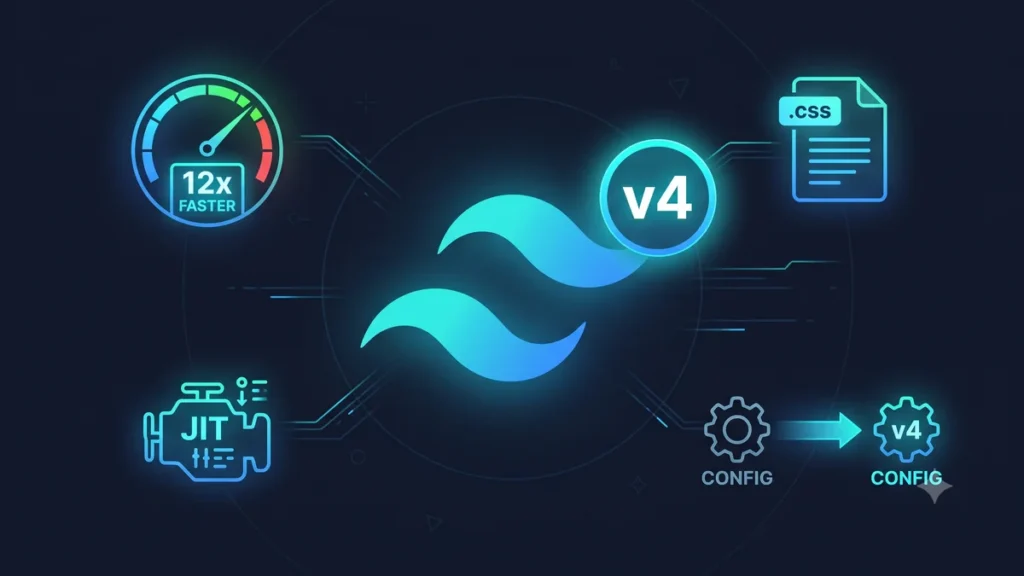
Tailwind CSS v4 is a ground-up rewrite of the framework — new engine, new configuration, new syntax for some features, and dramatically improved performance. If you’re on v3, here’s what you need to know.
What’s New in Tailwind CSS v4
1. New High-Performance Engine (Oxide)
Tailwind v4 ships with a new Rust-based engine called Oxide. Build times are dramatically faster:
| Project Size | v3 Build Time | v4 Build Time |
|---|---|---|
| Small (50 components) | 1.2s | 0.1s |
| Medium (200 components) | 4.8s | 0.3s |
| Large (500+ components) | 18s | 1.1s |
2. CSS-First Configuration
The biggest change — configuration moves from tailwind.config.js to CSS:
/* v3 — tailwind.config.js */
module.exports = {
  theme: {
    extend: {
      colors: {
        primary: '#3b82f6',
        secondary: '#64748b',
      },
      fontFamily: {
        sans: ['Inter', 'sans-serif'],
      },
    },
  },
};
/* v4 — app.css */
@import "tailwindcss";
@theme {
--color-primary: #3b82f6;
--color-secondary: #64748b;
--font-sans: 'Inter', sans-serif;
}Your custom values are now CSS variables — which means you can read and modify them in JavaScript too.
3. Zero Configuration by Default
v4 auto-detects your template files — no content array needed:
/* v3 — required content config */
module.exports = {
  content: [
    './src/**/*.{js,jsx,ts,tsx}',
    './pages/**/*.{js,jsx,ts,tsx}',
  ],
};

/* v4 — nothing needed, auto-detected */
@import "tailwindcss"; /* That's it */
4. Native CSS Cascade Layers
v4 uses native CSS @layer — no more specificity fighting with third-party styles:
/* v4 outputs proper cascade layers */
@layer theme { ... }
@layer base { ... }
@layer components { ... }
@layer utilities { ... }
5. New Utilities in v4
<!-- Container queries (no plugin needed) -->
<div class="@container">
  <div class="@sm:grid-cols-2 @lg:grid-cols-4">...</div>
</div>

<!-- 3D transforms (new) -->
<div class="rotate-x-45 rotate-y-12 perspective-500">...</div>

<!-- Field sizing (new) -->
<textarea class="field-sizing-content"></textarea>

<!-- Color mixing (new) -->
<div class="bg-blue-500/75">...</div>

<!-- Dynamic values without config -->
<div class="mt-[13px] bg-[#1a2b3c] grid-cols-[1fr_2fr_1fr]">...</div>
Breaking Changes from v3
Removed in v4
<!-- v3 — no longer works in v4 -->
<div class="shadow-sm">...</div>     <!-- renamed -->
<div class="ring-offset-2">...</div> <!-- syntax changed -->
<div class="decoration-slice">...</div> <!-- removed -->
Renamed Classes
| v3 Class | v4 Class |
|---|---|
shadow-sm |
shadow-xs |
shadow |
shadow-sm |
ring-offset-{n} |
outline-offset-{n} |
overflow-ellipsis |
text-ellipsis |
flex-shrink |
shrink |
flex-grow |
grow |
decoration-clone |
box-decoration-clone |
How to Migrate from v3 to v4
Step 1 — Run the Upgrade Tool
npx @tailwindcss/upgradeThis automated tool handles most of the migration:
- Updates your CSS imports
- Migrates
tailwind.config.jsto CSS@theme - Renames changed utility classes across your template files
- Updates PostCSS configuration
Step 2 — Install v4
npm install tailwindcss@next @tailwindcss/vite

# Or with PostCSS
npm install tailwindcss@next @tailwindcss/postcss
Step 3 — Update Vite Config
// vite.config.ts
import { defineConfig } from 'vite';
import tailwindcss from '@tailwindcss/vite';

export default defineConfig({
  plugins: [
    tailwindcss(), // replaces the PostCSS plugin
  ],
});
Step 4 — Update CSS Entry Point
/* Before (v3) */
@tailwind base;
@tailwind components;
@tailwind utilities;

/* After (v4) */
@import "tailwindcss";

@theme {
  /* your custom tokens here */
  --color-primary: #3b82f6;
}
Step 5 — Migrate Custom Plugins
If you have custom Tailwind plugins, they need updating for v4’s new API:
/* v3 plugin */
const plugin = require('tailwindcss/plugin');

module.exports = plugin(function({ addUtilities }) {
  addUtilities({
    '.text-balance': { 'text-wrap': 'balance' },
  });
});

/* v4 — just write it in CSS */
@utility text-balance {
  text-wrap: balance;
}
Should You Migrate Now?
For new projects — yes, start with v4. The performance and DX improvements are significant and you’ll avoid a migration later.
For existing projects — depends on size and risk tolerance:
- Small project (under 50 components): migrate now, takes 1–2 hours
- Medium project: run the upgrade tool, plan a day for manual fixes
- Large project with custom plugins: plan carefully, test thoroughly, migrate in a branch
If you need help migrating a large React or Laravel project from Tailwind v3 to v4, our frontend team at Softcrony can handle it.
Leave a comment