
🕮7 min read · 1,223 words
Every developer has had the conversation. A client’s WordPress site is slow, the theme is unmaintainable, and every update breaks something. Someone suggests rebuilding it in Next.js. The client asks how long it will take and how much it will cost. And you think — actually, is this a good idea?
We did this migration for a client in early 2026. This is the honest account — what worked, what didn’t, and whether we’d recommend it.
The Client and the Problem
An educational institution in Madhya Pradesh — three campuses, a student portal, an admissions system, and a public-facing website. The WordPress site had been running since 2018, built on a premium theme that had been customised to the point where the original theme was unrecognisable.
The problems were real:
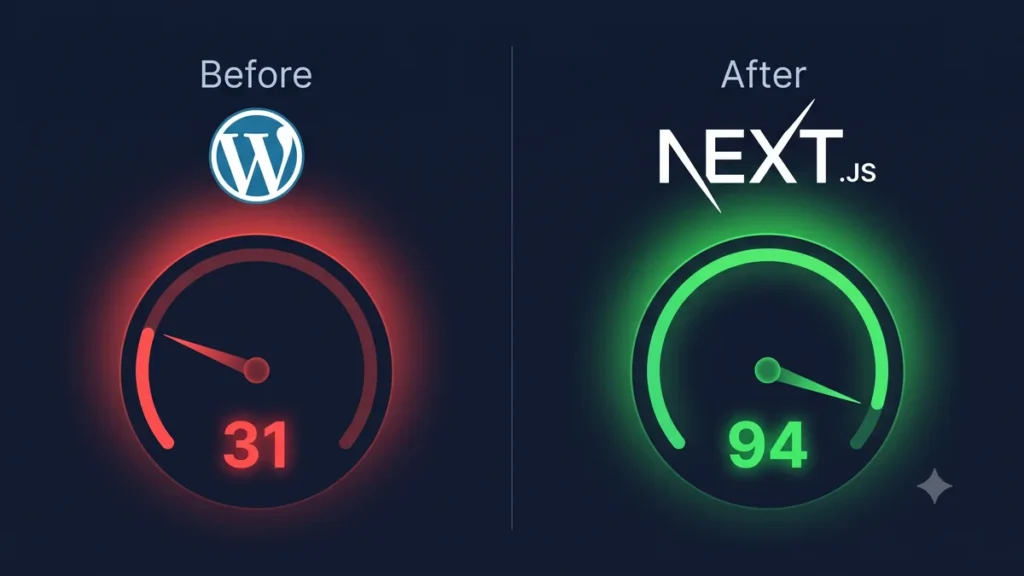
- PageSpeed score of 31 on mobile — three campuses worth of students trying to access it on phones
- The theme had conflicts with newer plugins — some form functionality had broken 8 months earlier and nobody knew how to fix it without rebuilding the entire contact section
- The site had been hacked twice in 2024. The second time resulted in student inquiry data being exposed — exactly the kind of thing that creates legal and reputational problems under DPDP Act
- Every content update required a developer because the Gutenberg editor had been partly disabled to prevent accidental breakage
The institution wanted to rebuild the public website. The student portal and admissions system would stay separate — that’s a different project.
Why We Chose Next.js 15
We evaluated three options:
Option 1: Rebuild in WordPress — new theme, proper architecture, performance optimization. Cheapest upfront. But we’d be solving today’s problems without changing the underlying fragility. The client would be back in 2–3 years with the same situation.
Option 2: Headless WordPress (WordPress API + Next.js) — WordPress as CMS, Next.js as frontend. Best of both worlds in theory. In practice, it added complexity without eliminating WordPress’s security surface. The admin still needed to stay secure. We’d still need WordPress updates, plugin management, and all the associated maintenance.
Option 3: Next.js with a headless CMS (Sanity) — completely off WordPress. Next.js for the frontend, Sanity for content management. Higher upfront cost, but clean architecture, no plugin dependencies, significantly better performance ceiling, and a content editor that non-technical users can actually use confidently.
We recommended Option 3. The client was hesitant about the cost. We modelled the total cost of ownership over 3 years — including the developer time that went into the existing site’s ongoing issues — and the numbers made the case. They agreed.
The Migration Plan
The site had approximately:
- 45 pages of static content (About, Courses, Faculty, etc.)
- A news/events section with 180+ posts
- A gallery section with 300+ images
- 3 contact and inquiry forms
- An admissions deadline calendar
We scoped it as a 10-week project:
| Phase | Duration | What Happened |
|---|---|---|
| Discovery and content audit | Week 1 | Mapped all pages, identified what to migrate vs retire |
| Design | Weeks 2–3 | New design in Figma, mobile-first, client approvals |
| Sanity CMS setup | Week 3 | Schema design, content types, editor training prep |
| Next.js development | Weeks 4–7 | Pages, components, API routes, forms |
| Content migration | Weeks 6–8 | 45 pages + 180 posts migrated to Sanity (overlapped with dev) |
| Testing and optimization | Week 9 | Performance, cross-browser, mobile, forms |
| Deployment and DNS cutover | Week 10 | Vercel deployment, DNS update, monitoring setup |
The Technical Stack
// package.json — key dependencies
{
  "dependencies": {
    "next": "^15.0.0",
    "react": "^19.0.0",
    "next-sanity": "^9.0.0",
    "@sanity/client": "^6.0.0",
    "@sanity/image-url": "^1.0.0",
    "react-hook-form": "^7.0.0",
    "nodemailer": "^6.0.0",
    "resend": "^4.0.0"
  }
}
// app/courses/[slug]/page.tsx — example page
import { sanityClient } from '@/lib/sanity';
import { CourseContent } from '@/components/CourseContent';
async function getCourse(slug: string) {
return sanityClient.fetch(
`*[_type == "course" && slug.current == $slug][0]{
title,
description,
duration,
eligibility,
fees,
highlights,
"faculty": faculty[]->{name, designation, image}
}`,
{ slug }
);
}
export async function generateStaticParams() {
const courses = await sanityClient.fetch(
`*[_type == "course"]{ "slug": slug.current }`
);
return courses.map((course: { slug: string }) => ({ slug: course.slug }));
}
export default async function CoursePage({ params }: { params: { slug: string } }) {
const course = await getCourse(params.slug);
if (!course) notFound();
return <CourseContent course={course} />;
}The Content Migration
This was harder than the development. 180 blog posts, each with images, categories, tags, and internal links — all living in WordPress’s database and media library.
We wrote a Node.js migration script that:
- Pulled all posts from the WordPress REST API
- Converted HTML content to Portable Text (Sanity’s format) using
@portabletext/from-html - Downloaded all post images and uploaded them to Sanity’s CDN
- Updated internal links to match the new URL structure
- Created the posts in Sanity via the Mutations API
// migration/migrate-posts.ts
import { createClient } from '@sanity/client';
import { htmlToBlocks } from '@portabletext/from-html';

const sanity = createClient({
  projectId: process.env.SANITY_PROJECT_ID!,
  dataset: 'production',
  token: process.env.SANITY_TOKEN,
  apiVersion: '2026-01-01',
});

async function migratePost(wpPost: WordPressPost) {
  // Convert WordPress HTML to Sanity Portable Text
  const body = htmlToBlocks(wpPost.content.rendered, {
    rules: [
      // Handle WordPress image blocks
      {
        deserialize(node, next, block) {
          if (node.nodeName === 'IMG') {
            return block({
              _type: 'image',
              asset: { _ref: `image-${uploadedImages[node.src]}` }
            });
          }
        }
      }
    ]
  });

  await sanity.create({
    _type: 'post',
    title: wpPost.title.rendered,
    slug: { current: wpPost.slug },
    publishedAt: wpPost.date,
    body,
    categories: await mapCategories(wpPost.categories),
  });
}
The migration script ran in 4 hours. Manual cleanup of edge cases took another day. We retired 40 posts that were outdated (pre-2022, no longer relevant) rather than migrating them — a conversation with the client that was worth having.
The Results — Six Weeks After Launch
| Metric | WordPress (Before) | Next.js (After) |
|---|---|---|
| PageSpeed Mobile | 31 | 94 |
| PageSpeed Desktop | 67 | 99 |
| LCP (mobile) | 8.2s | 1.1s |
| CLS | 0.34 | 0.02 |
| Time to First Byte | 1.8s | 0.12s (Vercel edge) |
| Bounce rate | 74% | 51% |
| Average session duration | 1:12 | 2:34 |
| Online inquiry form submissions | 43/month avg | 89/month (first 6 weeks) |
| Security incidents since launch | 2 in 12 months | 0 |
The inquiry form submissions doubling is the number the client cares about most. Whether that’s entirely attributable to the site rebuild or partly to the admissions season is hard to isolate — but the correlation is there.
What Was Harder Than Expected
Content editor training. The client’s marketing team was used to WordPress. Sanity is a different mental model. We underestimated the training time — what we planned as a half-day session took two full days plus ongoing support for 3 weeks.
Image migration edge cases. WordPress embeds images in post HTML in multiple ways. Our migration script handled 90% of them automatically. The remaining 10% — gallery blocks, custom HTML, caption formatting — required manual review for about 30 posts.
The admissions calendar. This was a custom WordPress plugin that had been built specifically for this client. Rebuilding the functionality in Next.js took longer than estimated because the original code was undocumented and the plugin’s author was unreachable.
Would We Do It Again?
Yes — for the right client and the right site.
The case for a WordPress-to-Next.js migration is strong when:
- Performance is genuinely affecting the business (bounce rates, conversion, SEO)
- The WordPress site has become unmaintainable due to plugin conflicts or theme sprawl
- Security incidents have happened or are a credible risk
- The content team is willing to learn a new editor
- The site doesn’t rely heavily on the WordPress plugin ecosystem for core functionality
The case is weak when:
- The WordPress site is well-maintained and performs reasonably
- The client needs WooCommerce — rebuilding an e-commerce system in Next.js is a much larger project
- The content team is resistant to change — you’ll spend more time on change management than development
- The budget is constrained — a proper migration costs more upfront than a WordPress rebuild
If you’re evaluating whether a rebuild makes sense for your site or client, our team at Softcrony is happy to give you an honest assessment. Sometimes the right answer is “fix what you have.”
Leave a comment